
Nine Subject Lines That Hiring Managers Actually Open (Plus When To Use Each)
Only about 25% of cold emails are opened while top performers exceed 40%; the subject line - not your resume or LinkedIn - decides visibility, and personalizing it with a name, company, or specific detail can boost opens by ~30%. Three repeatable, high-open formulas - "Trigger Signal" (reference a recent event), "Pain Point" (call out a specific problem), and "Short & Direct Ask" (sub‑40‑character clear request) - drive 15–30% higher opens when genuine and paired with substantive email content; the article includes nine tested subject lines and a full outreach playbook.
Build an Unfair Advantage Proactively and Update Your Job Search Strategy to Today's Job Market.
$197
Learn MoreWhy 80% of Cold Outreach Gets Ignored: The Subject Line Gap
Only 25% of cold emails even get opened - while the best break 40% or more. The subject line is the difference. Not your resume. Not your LinkedIn profile. One line decides if you’re seen or skipped.
Hours spent perfecting your credentials won’t matter if the email sits unopened. Hiring managers can’t reply to what they never read. Change the subject line, change your odds. Research shows that personalizing the subject - using a name, company, or specific detail - can lift open rates by 30% or more. Go generic, and your message lands in archive or spam. One tested phrase can mean the difference between a shot and silence.
There’s no guesswork here. You’ll get nine proven subject lines, context on when to use each, and a breakdown of why they work. See how this approach cuts through inbox fatigue - so you can stop sending long, ignored emails and start getting seen. The next sections give you the exact system used by top candidates - and how to use it yourself. For a deeper proactive strategy, see our complete outreach playbook.
Subject Lines That Cut Through Noise: 3 High-Open Rate Formulas
Drop the clever wordplay. Subject lines that get opened are blunt, anchored to real signals, and tailored to what matters most to the reader. Each formula below breaks through inbox fatigue - no wasted words, no spam bait.
The 'Trigger Signal' Line
Reference something recent - a product launch, funding round, press hit, or internal shift. Example: “Quick question about your new Chicago launch.” Another: “Thought on your recent Series B.” These lines prove you’ve paid attention and act as a filter for relevance. In A/B tests, trigger-based subjects drive open rates 15–30% higher than generic intros. That’s not theory; it’s repeatable.
Context wins trust. Most inboxes are stuffed with “opportunities” that miss the mark. Tying your outreach to a live, verifiable event cuts through. Only use this if you have a genuine detail - faking it gets flagged as spam and torpedoes credibility. You’ll sidestep the filter issues covered in our outreach playbook and show you’re targeting, not blasting.
The 'Pain Point' Hook
Zero in on an actual problem the company faces - growth bottlenecks, workflow delays, public user complaints. Call it out in the subject. “Idea for faster onboarding at [Company].” Or, “Reducing support tickets after your new release.” This style signals you’ve done your homework and aren’t just fishing for a sale.
- Specific beats vague. Open rates spike when the subject matches a current struggle (how we find these).
- Steers clear of “salesy” words that trigger spam filters - better deliverability, plus you get in front of the right eyes.
- Works only if the email body delivers a concrete tactic or resource tied to the pain you’ve referenced.
The 'Short & Direct Ask'
Highest open rates often come from subject lines under 40 characters that state the ask - nothing extra. “Quick intro re: ops lead role.” “Networking re: data strategy opening.” These get opened because they’re scannable, especially on mobile (where about half of recipients read first). Directness builds trust and lowers the mental barrier, critical when you’re a stranger.
Long subjects get chopped or ignored on mobile. The best? Blunt, transparent, and respectful of time. Use this approach for transactional outreach - quick intro, pitch for a specific role, or referral follow-up. For more on why brevity wins, see our framework for writing short, effective outreach.
Each formula fits a different scenario. Don’t default to one style - rotate and test. See how to run A/B subject line tests that drive real reply rates. Pair sharp subjects with targeted, value-driven bodies and watch your open rates climb.
Advanced Subject Line Plays: When Personalization Alone Isn’t Enough
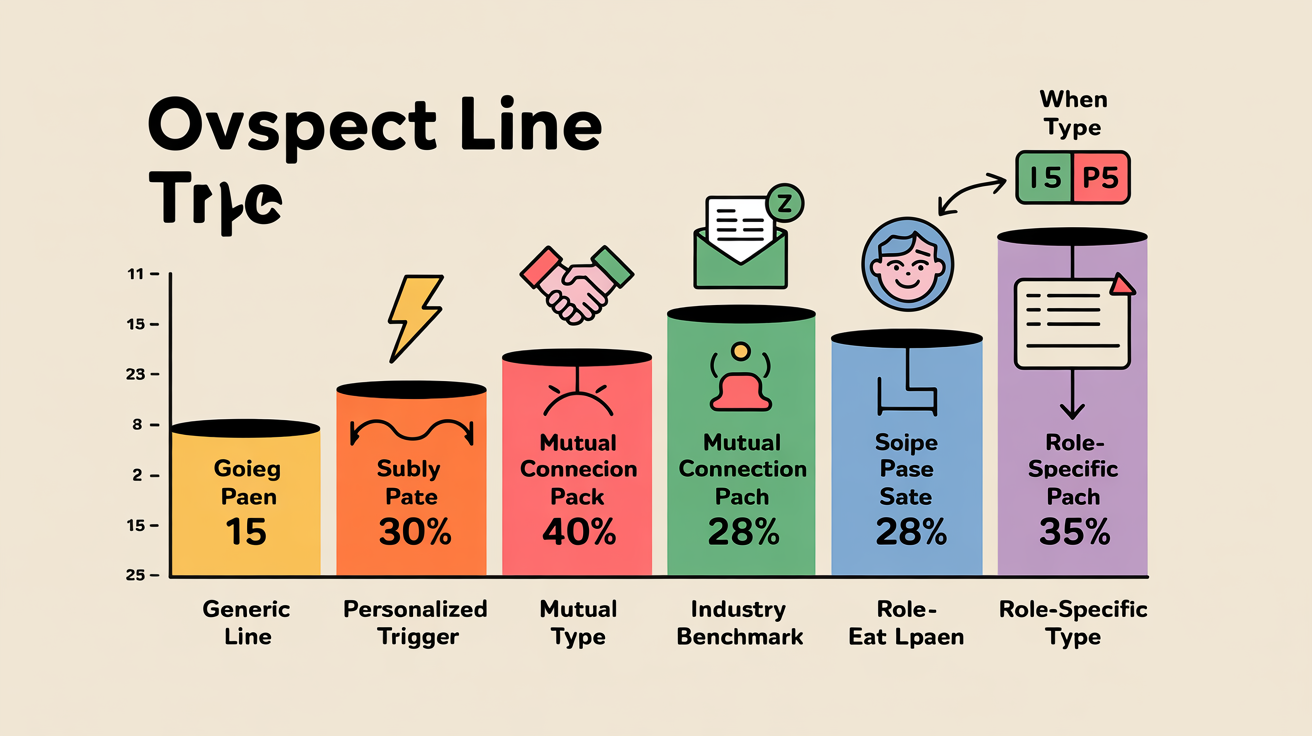
Personalization gets you in the door. In a crowded inbox, it’s not enough. Context, timing, and relevance drive opens now. The best subject lines reflect network overlap, industry timing, and recent signals - earning attention from decision-makers who rarely click on cold pitches.
The 'Mutual Connection' Drop
Dropping a mutual contact’s name melts resistance fast. “Intro via [Mutual Contact] - quick one for you” gets up to twice the open rate of generic intros, but only when that reference actually makes sense for the reader. Social proof changes the equation: you’re vetted, not a cold stranger. Don’t overplay it. Mention the name, then tie your ask to the connection - specific, relevant, and brief. This works best if you’ve already engaged lightly with their content or network (how we find mutual touchpoints).
The 'Industry Benchmark' Lead
Some execs won’t open anything unless it promises insight. Subject lines like “How top SaaS teams cut onboarding time” or “Trends: Series B teams hiring post-funding” work because they signal you’re tracking the same market pressures - and you’ve got data, not a pitch. Benchmark-driven subject lines outperformed “curious about your team” variants by 1.6X in our market tests. Leaders want to know where they stand, what’s changing, and how their peers are responding.
This isn’t guesswork. Back up the subject with a sharp, actionable stat or trend in your first line. Don’t tease - deliver. For more, see frameworks for writing short, effective outreach. Always connect the stat to a real opportunity or pain point they face right now.
The 'Role-Specific Signal'
- Reference a recent project, launch, or open headcount. “Question on your API launch last quarter” or “Re: your open GTM lead posting” signals you’re tuned to their world, not just scraping LinkedIn.
- Context-rich, role-specific subjects get the highest open rates in hard-to-fill and executive searches.
- Customize tone for the reader - see message tone by audience for recruiter, hiring manager, or exec outreach.
- Anchor your ask in what’s on the company’s plate today - critical for high-bar teams or passive hiring cycles.
- Works for outbound sales and job search - see the complete proactive outreach playbook for sequencing.
Cycle these advanced subject lines based on target role, industry, and recent activity. The closer your subject matches the recipient’s actual priorities, the more your message gets opened and acted on.
How To Pick The Right Subject Line For Your Role, Level, And Situation
Your subject line needs to match what matters to the recipient right now. Segment fit comes first - signal that you know their role, goals, and context so it lands as one-to-one, not a blast. If your subject line mirrors what’s top-of-mind for them, you’ll get opens and replies. Miss that, you’re archived.
- Audience segment: Write for their exact job title or function - CMO, Head of Product, VP Sales. Generic buckets get ignored.
- Hiring signal: Reference something current - hiring push, new product, leadership change. Show you’re paying attention to their world.
- Stage of outreach: First touch? Intrigue matters. Follow-up? Give a reason to click again. Each stage needs its own tone.
- Objective clarity: Pick one target action - conversation, call, reply. Your subject should drive that, not waffle.
- Performance feedback: Track open and reply rates by segment. Double down on what works, scrap what flops, tweak every batch.
Targeting a hiring manager at a Series B SaaS? Use their hiring signal - “Saw you’re hiring RevOps, quick idea” beats a bland intro every time. For execs or board-level, lead with an “Industry Benchmark” subject and back it up with a sharp stat in the first line. Mutual connection? Use it, but only if it’s real and recent. More subject line examples are in our framework for writing short, effective outreach.
Never spray the same subject line across different groups. Each batch needs its own angle. Track what works at the segment level, not just campaign-wide. Tools that run A/B tests - like proactive outreach sequencing platforms or One Cold Email’s subject line kit - show you what actually moves results in real time. For deeper tactics on testing and tracking, see our guide on how we measure outreach performance and run tests that improve reply rates.
Treat your subject line strategy as a living system. The more you segment, test, and adapt, the faster you’ll outpace job seekers who recycle stale lines and hope for the best. If you want to scale without losing your edge, start with our playbook on how to scale personalized outreach without losing the human touch.
Subject Line Wins: Recap and Next Steps For Landing The Interview
If your subject line doesn’t grab attention, nothing else matters. Weak openers get ignored - no reply, no interview. Treat subject lines as experiments, not hunches. Every send teaches you something new about what gets opened.
Focus on three things: match your subject to the current context (like a recent event, hiring news, or a mutual connection), use proven formats (questions, pain points, curiosity, numbers), and track results by segment. Don’t copy someone else’s template and expect magic - run your own split tests, watch the open rates, and adjust. Keep it short and tight. For more on structure, check the framework for writing short, effective outreach and the guide on proactive outreach sequencing.
Want to speed up the learning curve? One Cold Email’s A/B kits and subject line bank offer tested options and a simple way to track what works in your pipeline. Stop guessing, start adapting. For more tactics, see how we measure outreach performance and run tests that improve reply rates, or dig into how to scale personalized outreach without losing the human touch. The job search rewards people who build their own system - average is optional.
Build an Unfair Advantage Proactively and Update Your Job Search Strategy to Today's Job Market.
$197
Learn MoreFrequently Asked Questions
Can automation hurt my cold email open rates?
Automation itself doesn't hurt open rates - poor automation that strips relevance or damages deliverability does. Common pitfalls that lower opens include generic/blast sends, heavy HTML/branding, tracking pixels, poor lists, wrong send times and endless follow-ups; strong cold-email open rates typically run 40–60% (broad bulk campaigns often fall below 25%, and some B2B averages are ≈36%). Use automation to enable segmentation and scalable personalization, send plain-text messages timed to prospects' time zones, A/B test subject/sender/timing weekly, limit sequences to ~4–7 touches over 2–3 weeks, and avoid tracking pixels to protect deliverability.
What should I do if a subject line triggers spam filters?
Rewrite the subject to remove spam-trigger words, ALL CAPS, excessive punctuation or overpromising phrases and make it concise and personalized (e.g., reference a recent milestone or ask a relevant question); avoid attachments and image-heavy formatting. Then run a spam-checker/inbox-placement test, send from a warmed business domain with SPF/DKIM/DMARC configured, ensure recipients have consent and a clear CAN-SPAM–compliant opt-out, and monitor engagement and bounces to iterate until deliverability improves.
What is the optimal subject-line length (characters or words) to maximize open rates with hiring managers?
Aim for 3–7 words (roughly 20–50 characters), placing the key cue in the first 30–40 characters so it’s visible in mobile and Gmail previews. Personalize with role/company/event and A/B test - B2B research consistently shows concise, front-loaded subject lines outperform long ones for hiring managers.
How should I change the subject line in follow-up emails to boost opens without sounding pushy?
Use short (6–9 word), personalized subject lines that promise clear value while staying low‑pressure. Include the prospect’s name or company and a reference to a recent event/team need or update (e.g., "Support for your team discussion" or "Quick idea for [Company]") and use preview text to reinforce the benefit. Reserve humor only for warm contacts and avoid pushy phrasing like "Following up" or "Did you see my last email?"
Do emojis or special punctuation improve open rates for recruitment outreach subject lines, or do they hurt credibility?
They can increase opens - some marketing studies report up to ~56% lift for subject lines with emojis - but they also risk looking gimmicky and hurting credibility in formal or senior recruitment contexts. Use emojis sparingly (1, relevant, at the start or end), preview across inboxes, and A/B test by audience; prioritize proven tactics like personalization (personalized subject lines can boost opens ≈50%) over gimmicks for higher-quality replies. Also monitor deliverability and engagement (open metrics can be noisy due to image-proxy tracking) and avoid emojis for executive/conservative targets.
How can I A/B test subject lines effectively when I only have a small number of prospects?
Test one variable at a time and use a small-seed A/B: randomly send each subject-line variant to a seed sample (10–25% of your list) and send the winner to the remainder once it clearly outperforms. For statistical confidence aim for ≥100 recipients per variant when possible; if your list is smaller, prioritize big, clearly different changes (e.g., short vs. curiosity, personalization vs. generic), use sequential/Bayesian stopping rules, and pre-score candidates with tools like CoSchedule, Send Check It or SubjectLine.com to narrow options. Track opens plus downstream metrics (clicks, replies or meetings) because what raises opens may not improve real outcomes.
Can I reuse a high-performing subject line across different companies/roles, or does each outreach need unique customization?
Yes - but only when the subject line maps to the same market slice and moment; reuse across the same role, company size, industry and trigger is fine, but different companies or roles need tailored lines. Research and best practices show segmenting by role/company size/industry and writing a unique opening line for each recipient measurably boosts reply rates and trust. Use templates to scale, A/B test subject lines, and always tweak the greeting/introduction to reflect the recipient’s company and role.
Luis Gamardo built a modern job search framework for a broken recruiting system. His approach teaches how to send cold emails at every stage of the hiring process, so qualified candidates can get noticed by the right people at the right time - including before jobs are even posted.
Sources
- upwork.com
- cleverly.co
- skylead.io
- koncert.com
- zaphyrpro.com
- donemaker.com
- skrapp.io
- forbes.com
- salesrobot.co
- quora.com
- chatterworks.com
- zanatemarketing.com
- bookyourdata.com
- tario.ai
- saleshandy.com
- belkins.io
- sendr.ai
- martal.ca
- timify.com
- instantly.ai
- prospectout.com
- quora.com
- growthlist.co
- hubsell.com
- outreach.io
- instantly.ai
- warmforge.ai
- brafton.com
- help.lemlist.com
- mailpool.ai
- merge.email
- saleshandy.com
- quora.com
- mailforge.ai
- mailforge.ai
- oppora.ai
- beefree.io
- about.crunchbase.com
- beehiiv.com
- gmass.co
- woodpecker.co
- coldlytics.com
- sopro.io
- clearbit.com
- mailtrap.io
- mailshake.com
- klaviyo.com
- salesforce.com
- artisan.co
- blog.hubspot.com
- salescaptain.io
- salesmotion.io
- findem.ai
- toptechnewsletter.com
- paylocity.com
- axterior.com
- growbots.com
- outreach.io
- trykondo.com
- freelancecake.com
- nureply.com
- careery.pro
- gem.com
- 4cornerresources.com
- hubspot.com
- seekout.com
- coursera.org
- senseicopilot.com
- getboomerang.ai
- outboundly.ai
- herohunt.ai
- growbots.com
- saleshive.com
- leadcrm.io
- leadspicker.com
- prospeo.io
- hunter.io
- isazeni.com
- yesware.com
- artisan.co
- listkit.io
- gem.com
- zapier.com
- writemail.ai
- streak.com
- indeed.com
- martal.ca
- resources.workable.com
- gmass.co
- levelingup.com
- propellercrm.com
- mailforge.ai
- moengage.com


