
The 12-Point Candidate Research Checklist For High-Converting Outreach
Skipping candidate research yields 3–5% reply rates, while targeted outreach that references recent triggers and reaches the actual decision-maker consistently hits 12%+ replies. Precision research - use the 12-point checklist to confirm the hiring manager’s contact, cite recent company/person signals (funding, product launches, posts), spot mutual connections, and warm/verify inboxes - turns outreach into unsolicited interviews but requires ~45–90 minutes per segment.
Build an Unfair Advantage Proactively and Update Your Job Search Strategy to Today's Job Market.
$197
Learn MoreThe Hidden Cost of Skipping Candidate Research in Outreach
Skip research and your outreach tanks - reply rates barely hit 3–5%. Put in the work, and targeted campaigns reach 12% or higher. That gap isn’t luck. It’s context and relevance. A generic cold message? Straight to spam. Gone in seconds.
This checklist is for job seekers and career switchers who want traction. It’s for people done with sending out cookie-cutter messages and getting ignored. If you’re ready to make outreach systematic and strategic, this is your playbook. The aim: sidestep crowded job boards, show up in decision-makers’ inboxes, and trigger unsolicited interviews.
Follow the steps in sequence. Each one builds on the last. Use these tactics alongside a proactive outreach playbook to replace guesswork with a repeatable system. No more winging it. You’ll have a process that gives you an unfair edge in today’s market.
Why Precision Research Powers High-Response Outreach
Forensic research flips cold outreach from ignored to answered. Industry benchmarks show reply rates double or triple when each email references specific triggers - like a funding round, recent product launch, or public pain point. Generic mass sends? They vanish into spam folders. Tighten your list, reference what's current, and your message feels relevant - never canned.
- Set your outreach goal - networking, informational chat, or a direct pitch
- Pinpoint the exact segment: company, department, decision-maker
- Pull current news or public signals (funding, new hires, product updates)
- Warm up your inbox and confirm email addresses to prevent deliverability problems
This process takes 45–90 minutes per segment if you do it right. Not quick. But the spike in genuine replies makes it worth the effort. For details on prioritizing companies before outreach or scaling with personalization, see our outreach playbook. Precision research is what separates ignored cold emails from the ones that get real replies.
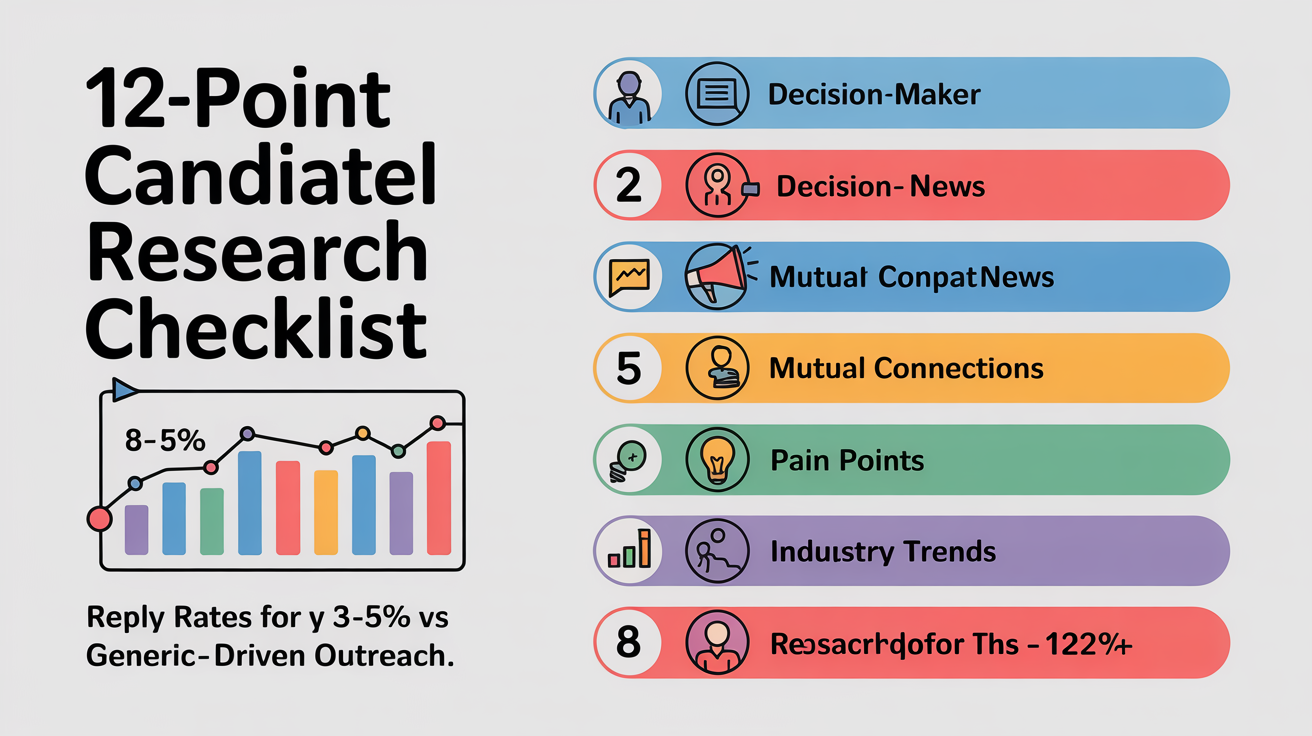
The 12-Point Candidate Research Checklist for High-Converting Outreach
Skip the pleasantries - if you do nothing else, confirm you’re reaching the real decision-maker. Not HR. Not an admin. Most replies vanish in the wrong inbox. Your efforts only count if the right person sees them.
Contact Accuracy and Relevance
- Validate direct decision-maker contact info: Identify the hiring manager, team lead, or direct supervisor using LinkedIn, org charts, or platforms like Clay and ContactOut. If you guess and miss, your message dies unread.
- Scan for recent activity (posts, press, funding): Review their LinkedIn feed, company news, or industry updates from the last 90 days. Citing something recent proves you’re not sending mass spam.
- Confirm role focus and current priorities: Read their job description, note promotions, or spot recent project launches. This points to what’s actually on their radar right now.
Personal and Network Signals
- Spot mutual connections or shared networks: Look for alumni, ex-colleagues, or common LinkedIn groups. Even a single shared touchpoint can warm up your outreach and boost trust.
- Surface public pain points or growth triggers: Find problems they’ve posted about or wins they’re chasing - like hiring sprints, scaling issues, or new launches. Tackle these directly to show you’re not guessing.
Company and Team Dynamics
- Review company news, projects, or expansions: Use Google Alerts, Crunchbase, or company blogs to spot recent milestones. Reference these for context beyond the basics.
- Check for open hiring windows or internal shifts: Look for new job postings, team changes, or recent departures. Timing your outreach to these moments increases relevance.
- Analyze last 3 public statements or interviews: Pull direct quotes, event recaps, or podcast snippets. Referencing their own words lowers skepticism fast.
- Flag recent product launches or pivots: Product news signals urgency or budget shifts. Mentioning these shows you’re tuned in to business realities.
Team and Industry Context
- Assess team trends (growth, turnover, restructuring): Use LinkedIn Insights or public news to see if the team’s expanding or shrinking. Expansion often means more openness to new hires.
- Note industry trends shaping their role: Research sector shifts, regulatory news, or tech changes that change their priorities. Reference what matters to them, not just generic trends.
- Draft a specific hook blending 2+ findings above: Combine a recent trigger (like funding or a public pain point) with a personal touch (mutual connection, shared interest). That’s how you dodge the “impressed by your company” trap.
Pressed for time? Start with decision-maker validation, reference a recent company trigger, and pinpoint one public pain point. These three steps punch above their weight for response rates. Deep personalization - like dissecting interviews or mapping team shifts - gives you a further edge, but don’t skip the basics. For a streamlined system to research and prioritize your targets, see our core approach.
Use this checklist as your pre-send command center. Each point increases trust and relevance. For a step-by-step workflow - including scaling without losing that personal touch - see our proactive outreach playbook.
Want to send more outreach without sounding robotic? Start with our guide on scaling personalized outreach. Need to boost follow-ups or revive cold leads? See follow-up strategies that reopen doors.
One Cold Email’s research checklist gives you structure - no guesswork, no shortcuts. It takes discipline. But if you’re done sounding like every other stranger, this is your unfair advantage.
What To Do After Running Your Research Checklist
Start tracking which research steps actually show up in your outreach. Log each input, then measure reply quality by segment. Skip this, and you’re guessing. Data wins.
- Note which checklist points you referenced in every message.
- Track reply and positive reply rates by persona and segment. Benchmark: 3-5% is average, 8-12% puts you ahead.
- Run weekly A/B tests - swap one variable per test (hook, subject, CTA). Use batches of at least 100 per variant to see real trends.
- Review what triggers genuine replies versus silence. Double down on what works. Ditch what doesn’t.
- Document learnings per campaign. If a research step never makes it into your outreach, revise or cut it.
Revisit your checklist every week. Top performers update fast, not once a quarter. If reply quality slips, check for skipped steps or stale hooks. For a full breakdown on how we research and prioritize which leads get your full attention, start there. Want to see the system in action? The proactive outreach playbook covers iteration, segmentation, and benchmarks.
Need more? For detailed tactics - like building follow-up sequences that win back lost leads or running tests that actually move reply rates - see our guides on Designing Follow-Up Sequences That Reclaim Lost Opportunities and how we measure outreach performance and run tests that improve reply rates. Don’t aim for perfection out of the gate. Build an outreach engine that sharpens every week.
Your Research Is Your Competitive Edge - Don’t Skip It
Run this checklist before every outreach. You’ll stop blending in and start getting replies. Each detail you dig up gives you practical use - use it, and your message lands differently. Skip the prep, and you vanish into the noise. Work the system, and response rates climb. More opportunities follow. It’s data-backed: even small improvements compound fast when you’re reaching out at scale.
If you do nothing else, make your personalization real. Reference something specific - recent work, a shared contact, company news. Most outreach fails because it’s generic and forgettable. Show you actually did your homework, and you’ll get answers while everyone else gets ignored.
Keep this checklist close. Use it every time. Adjust as you learn. Your outreach will compound into results. For more tactical breakdowns on how we research and prioritize opportunities or keeping outreach personal at scale, see the proactive outreach playbook and best practices on how to scale personalized outreach without losing the human touch. Most job seekers skip this step. Don’t be one of them.
Build an Unfair Advantage Proactively and Update Your Job Search Strategy to Today's Job Market.
$197
Learn MoreFrequently Asked Questions
What free and paid tools give the fastest, most reliable alerts for public signals (funding, product launches, exec hires) when researching prospects?
Free: Google Alerts (keyword+company alerts), LinkedIn company follows/notifications (upgrade to Premium for full “who viewed your profile”), Product Hunt (instant product-launch feed), Crunchbase free saved searches and Owler company news. Paid: Crunchbase Pro (real‑time funding, hiring and investor alerts via email/push), LinkedIn Sales Navigator/Recruiter (real‑time job/role changes and profile activity), and enterprise platforms PitchBook or CB Insights (fastest, most reliable funding/M&A signals used by VCs and corp dev). Combine a free alert layer (Google Alerts/Product Hunt/LinkedIn) with one paid feed (Crunchbase Pro or PitchBook/CB Insights) for the quickest, most dependable coverage.
How can I scale meaningful personalization across 50–100 prospects without spending 45–90 minutes per segment - practical shortcuts and batching tips?
Batch into 3–5 micro‑segments, build 2–3 modular templates per segment, and spend ~60–90 seconds per prospect adding one unique personalization line (company stat, recent trigger, or mutual). Export prospects to a spreadsheet, research in 10–20 minute sprints for 10 people (LinkedIn, Crunchbase, recent news), populate 3 dynamic tokens + the single tailored insight, then mail‑merge or load into HubSpot/Outreach/Salesloft/YAMM for sequenced sends and A/B subject tests. Standardize reusable blocks (value prop, social proof, CTA), save templates/snippets in your CRM, and automate conditional follow‑ups so setup is ~10–20 minutes and per‑prospect effort stays ~1–1.5 minutes.
What exact steps should I follow to warm up a new outreach inbox and confirm email addresses to minimize bounces and spam-folder placement?
Create a dedicated outreach subdomain (e.g., outreach.yourdomain.com), publish SPF, DKIM and DMARC records, configure MX and reverse PTR if using a dedicated IP, and verify authentication with online checks. Warm the inbox over 2–4 weeks using an automated warmup tool or manual sends: start 10–25 emails/day to known-valid, engaged inboxes and gradually increase to your target (add ~10–25/day or double each week), ensure replies/opens in the warmup network, and keep bounces under ~2–5% and spam complaints <0.1%. Validate every address beforehand with a verifier (ZeroBounce/NeverBounce), strip role/catch-all/high-risk addresses, pre-check MX/SMTP, personalize plain-text messages, include an unsubscribe, monitor inbox placement, bounces, complaints and engagement daily (use seed tests) and only move to a dedicated IP after the domain/inbox shows consistent good metrics.
When my target list is in the thousands, what quick scoring framework can I use to prioritize companies and roles for high-impact outreach?
Score every contact 1–5 on four attributes - Fit (solution alignment), Intent (recent funding, job postings, tech-stack change, LinkedIn activity), Influence (decision authority), and Budget - and compute TotalScore = 0.40*Fit + 0.30*Intent + 0.15*Influence + 0.15*Budget. First segment your 2,000 contacts into 4–6 personas by role/pain/company stage, seed each with a persona base-fit, then import custom fields into HubSpot/Apollo (or your CRM) and bulk-apply the formula. Prioritize: Total ≥4.0 = immediate high-touch (personalized outreach + leadership), 3.0–3.9 = targeted nurture/semi-personalized, <3.0 = low-effort automated nurture - use the score as a compass and override manually when referrals or fresh signals appear.
As a career-switcher with few direct industry signals, what specific research tactics reveal transferable hooks I can use in outreach messages?
Scan job descriptions, LinkedIn profiles and recent company news to pull recurring problems, verbs, and metrics (e.g., “reduce readmissions,” “improve HCAHPS,” “scale telehealth”) and map those to concrete outcomes from your past work. In healthcare specifically, mine signals around value‑based care, care‑coordination, population health, telehealth/virtual care, behavioral‑health integration, interoperability and revenue‑cycle projects - then translate your experience into hooks like “I led a process change that cut cycle time by 30% - curious how your ambulatory access team measures telehealth adoption.” Use sources such as CMS rule updates, AHA reports, hospital press releases, HIMSS conference agendas, job postings, LinkedIn profiles of target roles and recent grant/RFP announcements to surface those exact phrases and metrics for your outreach.
Which metrics and simple A/B tests should I track to prove that my candidate research is actually improving reply and conversion rates?
Track Reply Rate (total and positive/qualified replies), Conversion Rate (desired actions like meetings/bookings per recipient), Reply-to-Conversion ratio, plus Open Rate, Bounce/Unsubscribe (delivery/segmentation checks), and Time-to-Reply/response quality to see if research improves meaningful outcomes. A/B test one variable at a time: research-based opener vs generic opener, personalization type (company metric vs role pain vs event-based), CTA wording/placement (specific time-slot vs open-ended; top vs bottom), email length (short 2–3 lines vs longer with proof), and sender identity (founder vs SDR) - measure reply and conversion lifts. Evaluate lifts on reply and conversion rates, require ≥200 recipients per variant or use a significance calculator, and iterate only on statistically significant winners.
What are the best methods to verify a prospect’s email address and what compliance/privacy considerations (CAN-SPAM, GDPR) should I follow when using scraped contact data?
Use layered verification: syntax + domain/MX checks, SMTP RCPT-TO probes or reputable verification APIs (e.g., Kickbox, ZeroBounce, Hunter) plus disposable/role-address detection and a final confirmation via low‑volume test send or double opt‑in. For compliance: CAN‑SPAM requires truthful headers/subject lines, a valid physical mailing address and a working unsubscribe link you honor within 10 business days, but does not require prior consent. Under GDPR scraped emails are personal data - you must document a lawful basis (consent or a recorded legitimate‑interest assessment), keep provenance/consent records, minimize and secure storage, honor access/erasure/opt‑out requests, use processor agreements and appropriate cross‑border safeguards. Always delete unsubscribed or erased contacts from all systems and prefer double opt‑in for EU recipients to reduce legal risk.
Luis Gamardo built a modern job search framework for a broken recruiting system. His approach teaches how to send cold emails at every stage of the hiring process, so qualified candidates can get noticed by the right people at the right time - including before jobs are even posted.
Sources
- skrapp.io
- upwork.com
- quora.com
- salesrobot.co
- donemaker.com
- sendr.ai
- prospectout.com
- tario.ai
- mailin.ai
- cleverly.co
- belkins.io
- koncert.com
- martal.ca
- leadcrm.io
- outboundrepublic.com
- saleshandy.com
- timify.com
- getboomerang.ai
- woodpecker.co
- hubsell.com
- quora.com
- gem.com
- indeed.com
- b2brocket.ai
- warmforge.ai
- blog.heyeveryone.io
- nureply.com
- hubspot.com
- sujanpatel.com
- criminallyprolific.com
- zerobounce.net
- scribd.com
- gmass.co
- quora.com
- epiqcreativegroup.com
- colinkeeley.com
- 80000hours.org
- bdow.com
- support.outreach.io
- qubit.capital
- hailleygriffis.com
- mailgenius.com
- juicebox.ai
- zerobounce.net
- synapse.sa.utoronto.ca
- instantly.ai
- peoplepowered.org
- aakashgupta.medium.com
- businessinsider.com
- emailtooltester.com
- ca.indeed.com
- meetalfred.com
- outreach.io
- cognism.com
- artemisleads.com
- anyleads.com
- coldemailgenerators.com
- salesroads.com
- kristina.substack.com
- belkins.io
- expandi.io
- nethunt.com
- blog.hubspot.com
- linkedsavvy.com
- writemail.ai
- hubsell.com
- lobehub.com
- juicebox.ai
- saleshandy.com
- outreach.io
- toptechnewsletter.com
- uk.indeed.com
- blog.hubspot.com
- blog.hubspot.com
- zaphyrpro.com
- generect.com
- prospeo.io
- influencer-hero.com
- outboundly.ai
- herohunt.ai
- sendr.ai
- salescaptain.io
- isazeni.com
- community.hubspot.com
- growbots.com
- siegemedia.com
- salesforge.ai
- saleshive.com
- trykondo.com
- decisionfoundry.com
- salesmotion.io
- aisdr.com
- herohunt.ai
- verisinsights.com
- theroundpie.com
- scale.jobs
- eztrackr.app
- careersbydesign.ca
- ecp-careers.com
- tealhq.com
- finance.yahoo.com
- chenected.aiche.org
- careeronestop.org
- perspect.ai
- boyden.com


