
Five Templates That Scale And Still Get Responses (With Real Examples)
Cold email still delivers about a 42:1 ROI; average campaigns get ~3.43% reply rates while top performers exceed 10% by keeping messages short, problem-led, and personal. Build repeatable systems that scale real personalization - use the "Quick Question" brevity, signal-triggered timing, and genuine referral name-drops to boost replies without sounding robotic.
Build an Unfair Advantage Proactively and Update Your Job Search Strategy to Today's Job Market.
$197
Learn MoreThe 42:1 ROI Secret: Why Scalable Cold Outreach Still Wins in 2026
Cold email still brings an average ROI of 42:1, even as ad costs spike and LinkedIn fills with noise. Most campaigns limp along at a 3–6% reply rate - our benchmark clocks the mean at 3.43%. Yet top performers break 10% by keeping emails short, problem-led, and personal. Few do that at scale.
This guide isn’t a pile of templates. It’s a blueprint for building outreach systems that ramp up volume without killing the only thing that matters: a message that feels one-to-one. You’ll see real copy, not theory. Advanced tactics for mapping your approach - down to the sequence logic - so your emails actually get opened and answered.
Every tactic here is for people who want outcomes, not just motion. You’ll see how high-performing sequences are built, why structure beats guesswork, and which tools make personalization scalable, not manual. Want to go deeper? Read more on scaling personalized outreach or get the full proactive outreach playbook.
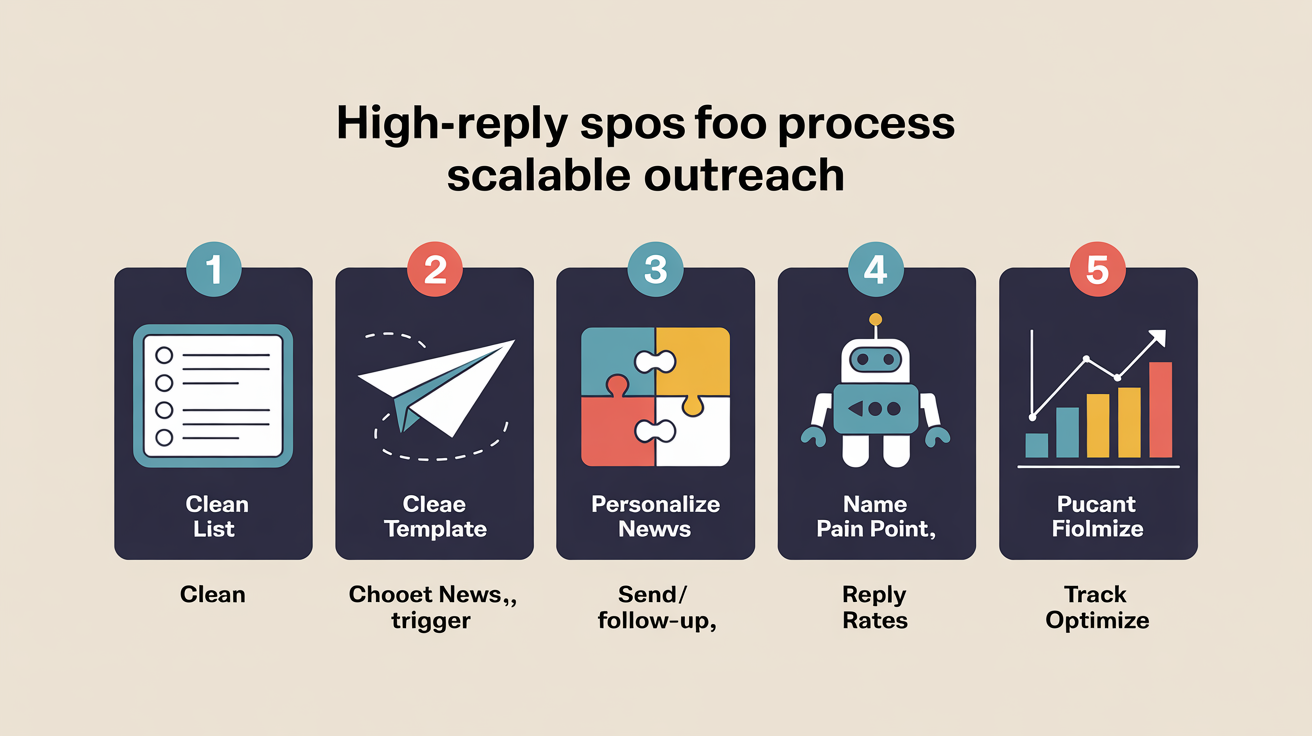
First Three Templates: Scale Without Sounding Robotic
Most cold outreach gets ignored because it reads like mass mail - generic, bloated, and missing real context. You can scale without losing your edge. Anchor templates to real buyer signals, keep it tight, and skip the “insert first name” gimmicks that scream automation.
The 'Quick Question' Opener
The 'Quick Question' template works because it’s short - under 80 words, zero fluff, and the ask hits fast. Data shows reply rates double on first-touch emails in this format, compared to the 2–4% average for longer intros. Prospects move fast. Brevity signals respect and sparks curiosity.
For example: “Quick question, Jordan - are you the right person to discuss how [target company] is handling compliance with new SEC rules? If not, could you point me to who is?” This bypasses the first-line filter so it’s easy to reply or forward. Build repeatable systems for scaling personalized outreach off this foundation.
The Signal-Triggered Template
Templates triggered by real events - funding rounds, job moves, product launches - outrun static campaigns every time. These messages hit when the recipient actually cares, driving response rates up to 3–5x higher than the usual broadcast. One line tying your note to the trigger is enough to cut through.
- Reference news: “Saw you just raised Series B - congrats. How’s the hiring ramp impacting your ops workflows?”
- Call out job changes: “Noticed you just joined as VP of Marketing - interested in tools that shorten onboarding time for new teams?”
- Mention product launches: “Congrats on launching [product]. Curious if you’re looking for beta user feedback?”
- Hit send within 24–48 hours of the event for best results.
The Referral Name Drop
Mentioning a mutual contact isn’t just social proof - it’s a shortcut. In B2B and recruiting, this alone bumps reply rates by 34% on average. But don’t force it. Only use a name if you have permission, and make it feel natural, not transactional.
Example: “Maya at Acme suggested I reach out, as she mentioned you’re looking for teams with proven experience scaling remote ops. Mind if I share how we tackled that at BetaCo?” That shift moves you from cold to warm. Want to go deeper? See our proactive outreach playbook or review fields that should always be tailored for relevance at scale.
Three More Outreach Templates: Advanced Personalization That Scales
Effective personalization at scale relies on smart segmentation and tight context. You don’t need a custom essay for every email - just structure and details that make you sound present, not robotic. These next three templates work under real-world volume and time pressure.
Problem-First Pitch Template
Lead with a pain point straight from recent company news or a public statement. Skip the feature list. This isn’t a pitch - it’s a pulse check. Example: “Caught your CFO on last week’s earnings call mentioning supply chain headaches. Our SaaS clients cut logistics costs 18% during similar spikes - want a teardown of what worked?” This approach - opening with a real, current issue - drives much higher engagement in tech and SaaS than generic outreach. For details on live-signal segmentation, see our company research and prioritization process.
Industry-Specific CTA Template
- Open with a sector-specific shift: margin compression, new regulations, or a hiring freeze. Reference what’s top-of-mind in their world.
- Connect your ask to that trend. For e-commerce: “Saw online margins dropped 8% in your category - have you tried bundling to claw back LTV?” For healthcare: “With new CMS guidelines, how are you scaling credentialing? We’ve mapped workflows if you want a quick comparison.”
- Systematize this by using custom fields for industry pain points, or plug it into the infrastructure from our scalable personalization guide.
Referencing sector trends and tailoring your CTA to match is what pushes reply rates above 15% - sometimes past 20% for hot topics. This isn’t optional if you want real results.
Conversational Peer Introduction Template
Hard sales pitches bounce off senior operators and founders. A different approach: write as a peer, not a vendor. Reference a niche signal only insiders track - a recent framework debate, a local event, or a technical post. The tone stays relaxed: “Saw your thread on async standups - find a cadence that actually sticks?” Offer something with no strings, like a quick thought or resource swap. This template lands with senior hires, founders, or technical leads who’ve seen every sales script. They filter for relevance, not formality.
Drop this template into proactive outreach campaigns or layer it onto your existing high-signal templates for segments where peer connection matters more than polish.
How To Pick The Right Template For Your Outreach Goal
Your outreach template only works if it fits the trigger - why now, why this person, and what action you want. A template built for a cold intro falls flat with a warm lead. Go by context, not just personal style.
- Trigger type: Acting on a hiring signal, a referral, or a recent event? Each demands a different opener and CTA.
- Target persona: Messaging a hiring manager isn't the same as reaching out as a peer or to HR. Adjust your tone and ask.
- Relationship warmth: Warm intros (mutual connections, referrals) work best with short, direct templates. Cold outreach needs more context and proof.
- Level of personalization: For high-value targets, manual research fuels better personalization. For volume outreach, use templates that scale with custom fields.
- Timing and follow-up: After a visible trigger (job post, company news), reference the event straight away. For ongoing campaigns, use modular templates that fit into a sequence.
Spot a new job post and want to reach the hiring manager? Use a short, value-driven template - open with why you fit, reference something recent, and ask for a quick intro chat. Have a mutual connection? Switch to a warm intro template: lead with the mutual, keep it brief, and center your ask. Going cold? Industry or pain-point templates work best - show you understand the company’s challenges. This is where custom fields and modular snippets pay off.
If you’re unsure, map your scenario to the criteria above. Pull from a structured library - like the workflow tools in our toolkit for mid-career candidates. That way, you can select, personalize, and send without rewriting from scratch. For manual, high-touch outreach, use our approach to short, confident messages. Scaling up? Build in personalization fields and sequence logic - see our scalable personalization guide for details.
Track which templates get replies, then double down. Tie your choice to campaign goals and adjust as your pipeline shifts. For deeper tactics and metrics, see our playbook for proactive outreach and how we measure and improve reply rates. Match template to trigger. Automate where you can. Save hours and get replies that move you forward.
The Fastest Path to Replies: Pick A Template, Test, improve
Reply rates don’t rise by blasting more emails. They rise when you use the right template, at the right moment, with just enough personal context. Top performers don’t guess - they test, measure, and adapt every outreach. Treat each campaign as an experiment, not a lottery.
Start by matching your template to the recipient and their trigger. Skip the generic. Then track reply rates and genuine positive responses - not just opens or total sends. Change one variable per test so you know what actually made a difference. For tactical reference, tie your workflow to proven systems like our personalized outreach system and benchmark your numbers against the proactive outreach playbook.
If you want outreach to feel less random and more predictable, you need a system for templates, testing, and iteration - built into your daily workflow. That’s how the One Cold Email method works. Fewer wild guesses, more data-driven tweaks. Methodical beats spray-and-pray every time.
Build an Unfair Advantage Proactively and Update Your Job Search Strategy to Today's Job Market.
$197
Learn MoreFrequently Asked Questions
How do I avoid my emails being marked as spam when sending at scale?
Authenticate all mail with SPF, DKIM and DMARC, segregate streams on dedicated subdomains/IPs (e.g., marketing.yourdomain.com vs transactional.yourdomain.com), and warm up new IPs by slowly ramping volume while sending in small batches. Keep lists clean (remove bounces and inactive addresses), include a plain‑text alternative, maintain a balanced text/image ratio, write conversational subject/body copy avoiding spammy words/punctuation, and encourage replies to boost engagement. Continuously monitor reputation with Google Postmaster Tools, Microsoft SNDS, Yahoo’s feedback loop and blacklist checks (MXToolbox), and distribute large sends across multiple warmed IPs to limit throttling and isolate issues.
Are these templates effective for both job search and business development?
Yes - these templates are effective for both job search and business development when tailored to the audience. The source includes recruiter/job-seeker templates and sales/investor outreach examples, and reports InMail reply rates of 18–25% versus ~3% for cold email, a 75% connection acceptance for event-based requests, follow-ups raising reply chance by ~25%, and personalized images boosting responses to ~76%. To work, you must optimize your profile, target the correct ICP/persona, personalize messages, use one clear CTA, and send follow-ups.
What is the optimal sending cadence and total sequence length to maximize replies without annoying prospects?
Use a 4–7 email sequence as your baseline (4–5 touches over 14–21 days for SMB; extend to 7–10 touches over 45–60 days for enterprise), since 58% of replies come from email 1, 35% from steps 2–4, and 7% from steps 5–7. Cadence example for a 5-step plan: Day 1 initial, Day 3–4 follow-up, Day 8–9 third, Day 14–15 fourth, Day 20–21 close - expand intervals (widening gaps) for longer sequences to avoid fatigue. Mix non-inbox touches (LinkedIn, calls) and keep emails to ~50% of total touches to protect deliverability and reduce complaints.
How should I run A/B tests on these templates (sample size, KPIs, and how long to run a test) to know which one truly performs?
Isolate one variable and test with at least 200 recipients per variation for reply/click metrics (aim for 1,000+ per variant when testing open rates), planning to detect a ~10–15% relative lift with 95% confidence. Use the KPI tied to the change: subject lines → open rate; body/CTA → click-through and reply rate; full sequences → reply→meeting conversion and pipeline value, and always monitor reply quality, unsubscribe and bounce rates. Run until you reach the required sample size and statistical significance (or at least 7–14 days to cover weekday effects, and 2–4 weeks for multi-touch sequences), and avoid early stopping - if volume is low, iterate small tests to find a winner and then validate on a larger holdout.
What minimal set of prospect data points should I collect to enable scalable personalization that still reads one-to-one?
Collect these six minimal prospect data points: funnel stage (lead/MQL/SQL/opportunity), job role/title and buying status (decision‑maker vs influencer), firmographics (company name, industry, size/revenue band), intent/topics (content consumed or third‑party intent topics), last behavioral touch (most recent page/email clicked with timestamp), and a one‑line conversation summary (primary pain/outcome + agreed next step); include contact metadata (timezone/preferred channel). Use those as CRM merge tokens and behavioral triggers - prioritize stage + intent to pick the right offer and use the conversation summary as your one‑to‑one phrasing - and limit initial segmentation to 1–3 high‑value cohorts so personalization stays deep but scalable. Automate real‑time enrichment and updates so messages remain accurate.
How can I automate follow-ups with conditional logic (opens, clicks, replies) while keeping messages conversational and non-repetitive?
Use an automation tool with conditional branching and reliable reply detection (e.g., Smartlead, Lemlist, Reply.io, Outreach) and build explicit rules: if replied → pause sequence + notify rep; if clicked → send a next-step CTA within 2–3 days; if opened but no click → send a value-add or social proof after 3–5 days; if not opened → change subject/time and retry. Keep messages conversational by using short, personalized lines (name, company detail, one-sentence value), rotating interchangeable sentence blocks/dynamic snippets to avoid repetition, and swapping follow-up types (reminder, add-value, social proof, breakup) rather than repeating the same pitch. Limit sequences to 3–5 touches (typical guidance: 2–3 in Europe, 5–8 in the US), space them progressively (e.g., 3, 5, 7 days), A/B test subject/body, and avoid calling out opens (“I see you opened”) or sending a follow-up when you have nothing new to add.
Which subject-line strategies work best to boost open rates for short, problem-led templates like the "Quick Question" opener?
Use short, question-based subject lines that create a small curiosity gap and reference a specific pain point - e.g., "Quick question" or "Thoughts on [specific pain point]?" - because question lines boost opens ~10% (1.2M-study) and short/vague lines drove 66.7% of replies in Snow & Youshaei. Pair timing with strong copy and keep subject lines consistent across the sequence to enable threading; proven performers include "Next steps" (up to 70.5% open, 49.6% reply) and anecdotal wins like "Got something for you" (87% open). Always A/B test variants and personalize (name or pain point) and send 1–3 follow-ups with the same thread to maximize opens and replies.
Luis Gamardo built a modern job search framework for a broken recruiting system. His approach teaches how to send cold emails at every stage of the hiring process, so qualified candidates can get noticed by the right people at the right time - including before jobs are even posted.
Sources
- instantly.ai
- zanatemarketing.com
- sendr.ai
- smartbrief.com
- saleshive.com
- influencer-hero.com
- sendr.ai
- close.com
- hypergen.io
- mailshake.com
- amplemarket.com
- upwork.com
- reachgiant.com
- hubspot.com
- outboundly.ai
- trykondo.com
- mailforge.ai
- outboundrepublic.com
- leadcrm.io
- isazeni.com
- saleshandy.com
- clearbit.com
- help.lemlist.com
- salesroads.com
- salesmotion.io
- woodpecker.co
- instantly.ai
- fyxer.com
- warmforge.ai
- martal.ca
- gmass.co
- outreach.io
- mailtrap.io
- instantly.ai
- autobound.ai
- about.crunchbase.com
- boostmediagroup.com
- blog.hubspot.com
- zapier.com
- mailforge.ai
- mailforge.ai
- sopro.io
- saleshandy.com
- instantly.ai
- saleshandy.com
- hubsell.com
- blog.hubspot.com
- commsor.com
- growbots.com
- primeforge.ai
- artemisleads.com
- getboomerang.ai
- writemail.ai
- zendesk.com
- salescaptain.io
- generect.com
- support.outreach.io
- blog.hubspot.com
- outreach.io
- prospeo.io
- blog.hubspot.com
- quora.com
- creativeperspectivesmanagement.com
- emailscout.io
- indeed.com
- allegrow.co
- hunter.io
- copilotai.com
- lobehub.com
- nureply.com
- herohunt.ai
- herohunt.ai
- withmoxie.com
- quora.com
- quora.com
- gem.com
- scribd.com
- sifthub.io
- sparkle.io
- trykondo.com
- outreach.io
- skylead.io
- anyleads.com
- trykondo.com
- instantly.ai
- pipeline.zoominfo.com


