
The Most Common Personalization Mistakes In Job Outreach (And How To Avoid Them)
Over 80% of generic job outreach is ignored or sent to spam, and surface-level personalization is the single biggest reason outreach fails - even though true personalization can boost opens ~26% and drive up to six times more replies. The cure is a repeatable, research-backed system: define a precise Ideal Candidate Profile, segment targets by meaningful criteria, keep live clean data, and automate only with tools that inject real, targeted detail so messages feel hand-built at scale.
- The Hidden Cost of Bad Personalization: Why Most...
- Personalization in 2026: What It Really Means and...
- How to Personalize Job Outreach Without Burning Out:...
- The 5 Most Costly Personalization Mistakes - and Exactly How...
- Smart Tools and Resources for Effortless Personalization at...
- Land More Replies by Ditching the Template and...
The Hidden Cost of Bad Personalization: Why Most Job Outreach Fails Out of the Gate
Over 80% of generic outreach gets ignored or sent to spam. Personalized messages - done right - can boost open rates by 26% and deliver up to six times more replies. If your message reads like a template, you’re handing interviews and opportunities to someone else.
Most job seekers stumble on the same problem: lazy, surface-level personalization. It’s the single biggest reason outreach falls flat. This guide cuts through the noise. You’ll see how to craft messages that feel targeted, read like a real human, and actually get answers. No more ghosting. No more wasted effort. Just a repeatable approach that pulls you out of the template graveyard.
Here’s the fix: replace forgettable, mass-blast emails with a system for relevant, research-backed personalization - without burning out or rewriting from scratch. You’ll use proven tactics to personalize at scale and keep every message specific. Want a job search strategy that actually gets results? Start by ditching the generic outreach and using the frameworks that top performers rely on. For a detailed playbook on this approach, see how to shift your outreach from luck to strategy.
Personalization in 2026: What It Really Means and What You Need Before You Start
Personalization in 2026 isn’t about dropping a name or copying a job title. It’s relevance at scale. Use live data and create tight audience segments so every message feels intentional - and lands at the right time. Inboxes are crowded. But messages that show real research still cut through.
Surface-level tricks - referencing a company milestone, name-dropping a shared connection, mimicking a writing style - only get you so far. Deep personalization starts backstage: targeted research, clean data, and a nailed-down Ideal Candidate Profile (ICP). Your ICP defines the exact hiring manager, team, and company type for your outreach. Get this right, and your messages look hand-built for the recipient - not generic spam.
Next, break your list into smart segments. Don’t blast everyone. Sort by industry, job function, company size, or recent funding. Each group gets messaging that fits their world. Automation can scale this, but only if your data is current and your tools inject enough real detail to avoid the “template” feel. Bad personalization does more than get ignored - it sinks your credibility and kills future chances. For practical steps, see our system for how we research and prioritize companies to find hidden hiring opportunities.
Before scaling personalization, lock down these essentials or you’ll drown in manual edits - or worse, automate spam.
- Define your Ideal Candidate Profile (ICP): Get specific. Role, industry, company stage, pain points.
- Segment your target list: Sort prospects by criteria that matter - company size, function, recent news.
- Data hygiene isn’t optional: Only clean, current contact and company data. Outdated info kills your credibility and response rates.
- Choose and set up your tools: Use software that enriches data and customizes at scale - without breaking compliance or sounding robotic.
- Prepare outcome-focused messaging: Build short, high-impact templates for each segment. The best templates flex, not fill in blanks. For a framework, see our framework for writing short, confident messages hiring managers will read.
Personalization in 2026 is all about strong systems and live data. If your outreach isn’t built on tight segments, fresh data, and real tech, you’re just automating mediocrity. Want real conversations? Nail these prerequisites, then move to the next step in the complete playbook for proactive outreach.
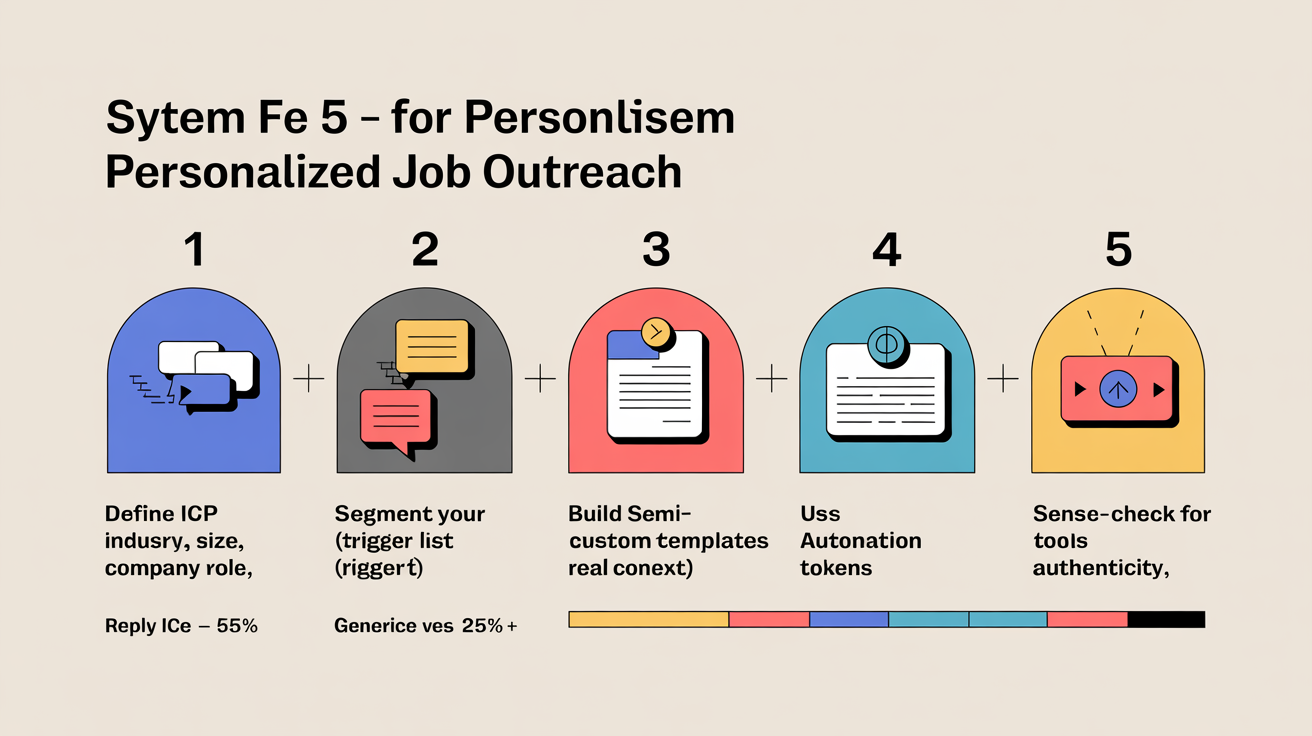
How to Personalize Job Outreach Without Burning Out: A Tactical, Repeatable System
Personalizing outreach at scale means you stop rewriting every email and start landing replies that actually matter. This approach builds targeted, relevant messages - no more lifeless templates, no more wasted hours. Follow these steps and you’ll get more callbacks, less ghosting, and real momentum.
- Define a narrow, actionable ICP. Use LinkedIn Sales Navigator or another advanced search tool to layer filters - industry (B2B SaaS), company size (10-50 employees), role (founder, sales lead), geography, and specific challenges. If your list is above a few hundred, it’s too broad. Under 20? Too narrow or filters need tweaking. Aim for a segment you can address like an insider. Broad targeting kills relevance and deliverability - don’t skip this step.
- Segment by role or trigger event. Don’t lump everyone together. Break your list by what actually matters: function (founders vs. ops leads), recent funding, product launches, job changes. If there’s no clear event, use the next best factor - department or growth signals. Most generic outreach dies here. Bad segmentation = ignored messages.
- Build 'semi-custom' templates for each segment. For every group, write a template that references something real - recent press, product updates, a hiring spree. Never just add a name and call it personal. Mention specifics only this group would recognize. If you can’t write a template that feels personal for 80% of the segment, your targeting’s off. For structure, see our system for crafting short, confident messages that get read.
- Use automation for variable tokens - without losing the human touch. Configure your outreach tool to insert dynamic fields: recipient’s role, company name, recent LinkedIn post, or a company win. Only use data you’ve checked - bad info breaks trust. If your tool can’t handle context-rich tokens (beyond “Hey [Name]”), you’re stuck at the surface. See how to scale personalized outreach without losing the human touch.
- S sense-check every message for authenticity. Scan a random sample before sending. Would you reply if this landed in your inbox? Does it sound like a real person - no awkward phrasing, no obvious copy-paste, nothing robotic? If not, fix your template or your data. Skip this and you’ll poison future contact attempts.
- Set up a sequence, not a single shot. Plan your follow-ups in advance. One message rarely does the job. Mix email and LinkedIn touches if you can. Each step should build - reference no response, bring a new angle, or offer a different resource. For tactics, see guidance on designing follow-up sequences that reclaim lost opportunities.
- Track results and refine ruthlessly. Monitor replies, bounces, and positive responses by segment. If a template flops, stop sending and rework your targeting or approach. Use a spreadsheet or CRM - don’t just rely on memory. For live tracking, check out how we measure outreach performance and run tests that improve reply rates.
- Don’t shortcut manual review for top-tier targets. For priority companies or dream jobs, add a truly personal line - mention a recent post, an interview, or a company value. Relying only on automation here leaves opportunity on the table. For prioritization, see our system for researching and prioritizing companies to find hidden hiring opportunities.
Build your outreach system to these specs and you sidestep burnout - and stop sounding like every other applicant. For the full approach, see the complete playbook for proactive outreach and map this process into your own workflow.
The 5 Most Costly Personalization Mistakes - and Exactly How to Fix Them
The most expensive personalization mistake? Sending templated emails with stale or inaccurate data. That kills reply rates and broadcasts you’re out of touch. If your outreach lands with silence, your data - or lack of specific relevance - is almost always the culprit.
Using Outdated or Generic Data
This is where most outreach fails. Old job titles, dead emails, or records of people who left months ago - any of these turn “personalized” messages into instant spam. Most teams assume last quarter’s enrichment or their CRM’s default data is enough. It isn’t. Data decays quickly.
Run regular data hygiene sweeps. Scrub duplicates, verify key fields, and enrich missing info before you hit send. Use a tool or a manual process, but don’t skip it. Outdated data means instant delete. For the full workflow, see how proactive outreach starts with clean data and sharp targeting.
Over-Personalizing to the Point of Creepiness
Too many emails try to impress with hyper-specific references - a prospect’s vacation, their pet’s name, or every tweet from the last month. Most people spot this as overdone and invasive. There’s a line between “I did my homework” and “I’m watching you.” Cross it, and you lose trust.
Stick to the business problem. Reference pain points, industry changes, or challenges tied to their job. Skip the life story. Relevance beats research theater. A direct, simple connection builds credibility. Unsure where the line is? Look at how smart segmentation keeps outreach personal, not awkward.
Personalizing the Name, Ignoring the Problem
Dropping in a first name and calling it “personalization” fools no one. If your message fits any company in the industry, it gets ignored. The real miss? Failing to connect your outreach to a live business trigger - like a new hire, launch, or funding round.
Anchor every message to an event or shift that matters to the recipient. Use real business signals - recent news, leadership moves, product updates - and tie your offer to that context. That’s what gets replies. It shows you know what’s happening on their side, not just their name.
Manual Personalization at Scale (Burnout City)
Writing every email from scratch? Exhausting. Volume breaks the system - errors climb, quality drops, and burnout follows. People think scaling means lower quality, but that only happens if you rely on brute force.
Fix it with a hybrid approach:
- Automate research with tools that surface company news, role changes, or key triggers.
- Build dynamic templates - merge fields for context, so each message feels tailored without a rewrite.
- Review high-value contacts manually to catch awkward phrasing or off-brand details.
This keeps your outreach human without frying your team. See more in the breakdown on scaling authentic personalization.
Neglecting Segmentation
Batch-and-blast is dead. Sending the same note to every lead signals you don’t know them at all. Smart segmentation - by industry, pain, or recent events - multiplies relevance without multiplying effort. Teams skip it, thinking it’s too complex. It isn’t. Tight segments actually save time because you can build semi-custom templates that land better.
Group your outreach by role, company size, funding news, or tech stack. Each segment deserves messaging that sounds built for them. That’s how you get beyond boilerplate and into real conversations. For tactics, see our approach to researching and prioritizing companies to find hidden hiring opportunities.
Smart Tools and Resources for Effortless Personalization at Scale
Manual hustle only gets you so far. The right tools strip out grunt work, reduce mistakes, and feed every message with context - without sounding robotic. Focus on platforms that keep research, segmentation, and delivery sharp. That’s how you drive replies, not just activity.
ICP Definition and Prospect Research
Personalization at scale starts with knowing exactly who to target. LinkedIn Sales Navigator is still the top choice for defining your ICP - filter by industry, seniority, company size, and activity. More than a database, it’s a precision research engine. Build focused lists and export them for outreach prep. Go narrow. The tighter your targeting, the less you’ll need to fake personalization later.
Want deeper signals - like hiring trends or funding news? Pair Sales Navigator with data enrichment tools or set up Google Alerts. That way, your messages can reference real company events. For the workflow behind high-impact research, see our guide on how we research and prioritize companies to find hidden hiring opportunities.
Personalization and Automation Without Losing the Human Touch
Templates drain credibility. Writing every note from scratch? Not sustainable. The best automation stacks scale genuine personalization, not just volume. Choose tools with dynamic tokens - pulling in ICP details, recent activity, and company triggers automatically.
- Multi-field templates - so you reference more than just a name
- Integrations with research or CRM tools - context appears right in your email or LinkedIn draft
- AI-powered suggestions - recent news, shared connections, trigger events
- Manual review mode - catch anything off-brand or awkward before it goes out
AI tools boost speed, but always run a final review to match your natural tone. For more tactics, see our approach to scaling personalized outreach without losing the human touch.
Deliverability, Data Hygiene, and Workflow Automation
Even perfect personalization flops if your emails bounce or hit spam. Keep lists clean with an email verification tool - Hunter, NeverBounce, or similar. Non-negotiable at scale. Automate your workflow (Zapier, Apify) to connect research, outreach, and tracking. Skip the copy-paste grind and ditch endless spreadsheets.
Watch how pros monitor reply and acceptance rates, then adjust templates and sequences, in our playbook on how we measure outreach performance and run tests that improve reply rates.
Turning Best Practices into a Repeatable System
Most job seekers waste hours customizing messages that never get seen - or blast generic notes that never get replies. Smart systems, built on the right tech stack, give you both reach and relevance. Aim for this: every message feels human, researched in minutes, and sent at the right time. That’s the unfair advantage. For the full system, see our complete playbook for proactive outreach.
Land More Replies by Ditching the Template and Nailing True Personalization
Generic templates? Deleted or ignored. The only outreach that gets real replies cuts through with relevance and clear intent. Decision-makers notice when you’ve done your homework and address what matters right now.
Start by cleaning your contact data and segmenting targets with sharp ICP filters. Then, build a research habit - focus on specific details about the company and person, not just surface facts. Each message should be short, direct, and show exactly how your skills fit their current priorities. Use our framework for writing short, confident messages if you want a model that works. Don’t stop at the first email. Most replies come after a follow-up, so set up a sequence that keeps you on their radar without spamming - details on that in follow-up sequences that actually generate replies.
You don’t have to hand-write every message or drown in admin. Blend smart automation with a proven system like the complete playbook for proactive outreach to handle scale and still sound personal. That’s the edge One Cold Email gives you - personalized volume, minus the busywork.
Build an Unfair Advantage Proactively and Update Your Job Search Strategy to Today's Job Market.
$197
Learn MoreFrequently Asked Questions
How can I measure if my personalized outreach is actually working?
Track engagement (opens, CTRs, landing-page views/scroll depth/time on page), conversions (reply/meeting rates, checkouts, recovered carts), and revenue/retention (AOV, CLTV, churn, NPS), and attribute results by channel and variant with A/B tests and sequence analytics. Use benchmarks to judge lift - personalized emails typically see 10–34% response rates (advanced personalization ~17% vs basic ~7% and generic ~2–10%), and personalized landing pages can drive ~3× higher engagement - then iterate weekly and maintain organized follow-up sequences (note 80% of sales require ≥5 follow-ups).
Which specific tools and data sources are best for collecting the 'live data' needed for effective personalization?
Use a mix of firmographic, intent, behavioral, product-usage and real‑time news/social sources: Clearbit or ZoomInfo for firmographics, Bombora or G2 for intent, Google Analytics / Mixpanel / Heap for web behavior, Amplitude for product usage, BuiltWith for technographics, and Google Alerts/Google News plus LinkedIn Sales Navigator for live news and social signals. Centralize and automate ingestion into a CRM/CDP (HubSpot or Salesforce + Segment) and connect to your ESP/personalization platform (HubSpot Sales Hub, SendGrid, Dynamic Yield) to drive triggered emails, dynamic fields and workflow personalization. Also capture email engagement (opens/clicks from your ESP), in‑product or survey responses (Intercom/Typeform), and tag/categorize outcomes so you can A/B test and feed winning patterns back into AI models and templates.
How do I build an Ideal Candidate Profile (ICP) step-by-step for more targeted outreach?
Build an ICP by defining 5–7 strict attributes: role/responsibility (e.g., Head of Sales, Founder), industry/niche (e.g., B2B SaaS), company size or revenue (e.g., 10–50 employees or>$200M), geography, a specific problem you solve (e.g., struggling with outbound), plus explicit exclusion criteria. Pressure-test and refine it in LinkedIn Sales Navigator with layered filters (industry, company size, seniority, function); if results are tens of thousands it’s too broad, if you can’t find enough leads it’s too narrow. Score leads by fit + intent + activity, export targeted lists with tools like Expandi or HeyReach, run small personalized connection-message tests (reference the concrete pain), and iterate based on reply rate, meetings booked and pipeline generated.
What practical techniques let me personalize outreach at scale without rewriting every message?
Use template emails with merge tags and conditional/dynamic content blocks (first name, company, recent product/news) in CRMs/ESPs like HubSpot, Salesforce, Mailchimp, Outreach or Salesloft, plus audience segmentation and triggered workflows (e.g., first-time vs. repeat buyers) to tailor body copy and CTAs without rewriting. Layer automated prospect enrichment (Clearbit, ZoomInfo) and AI (ChatGPT/Grok or tools like Lemlist/Ava, GMass) to generate a one-line personalized hook or recent-news mention, then store those reusable snippets in your CRM or Notion. Run A/B tests and track open/reply rates to refine which personalization fragments actually lift engagement.
How can I personalize messages without coming across as intrusive, stalkerish, or 'creepy'?
Use public, work-related signals (company site, recent funding/news, LinkedIn posts - “if they put it on LinkedIn intentionally, it’s fair game”) and rephrase any AI findings into your own voice instead of pasting robotic lines. Avoid private details (family photos, travel with partners), never mention how much you “stalked” them, and keep the message short and helpful - use a 6–9 word subject that references their role or a recent achievement, ask one relevant question, and sign with a real person’s name. A/B test subject/opening variations, track replies, and follow data rules (GDPR/CAN‑SPAM); add small personality flourishes (e.g., a GIF) only when it matches their public style.
How do I avoid errors from outdated or incorrect public data when personalizing outreach?
Verify and timestamp every personalization point: cross-check each claim against at least two up-to-date sources (company website/press release, the prospect’s LinkedIn or recent public social posts) and prefer items published within the last 30 days. Use automated enrichment/APIs (Clearbit, ZoomInfo, LinkedIn Sales Navigator) to refresh fields and flag conflicts, and perform a manual spot-check for high-value prospects. When a fact is uncertain or likely to change (job title, headcount), hedge your language (“I noticed your team recently…”) rather than asserting specifics.
What are tested subject lines and opening sentences that increase reply rates for personalized job outreach?
Use short, curiosity-driven subject lines: "Quick question" (short/vague formats earned ~66.7% of replies in one study), "Next steps" (reported up to 70.5% open / 49.6% reply), and "Got something for you" (87% open reported), plus variants like "Thoughts on [specific pain point]?", "Did you see my last email, [First name]?", or "Did I get the right person?". Proven opening sentences: "Hi [Name] - quick one: do you have 15 minutes next week to discuss reducing [specific pain] by [X]?", "I noticed [recent company signal] and thought you’d be interested in a short case study showing how we helped [peer] cut [metric]%," and "Are you the right person to discuss [project]? If not, who should I speak with?". Keep subject lines <50 characters, personalize (name/company/pain), thread subjects across follow-ups, A/B test, and limit to 3–4 concise, value-driven follow-ups.
Luis Gamardo built a modern job search framework for a broken recruiting system. His approach teaches how to send cold emails at every stage of the hiring process, so qualified candidates can get noticed by the right people at the right time - including before jobs are even posted.
Sources
- instantly.ai
- artemisleads.com
- mailtrap.io
- lagrowthmachine.com
- warmforge.ai
- primeforge.ai
- skylead.io
- recruitbpm.com
- senseicopilot.com
- sendr.ai
- forum.thethinksters.com
- writemail.ai
- scribd.com
- saleshandy.com
- tradepressservices.com
- cleverly.co
- qxglobalgroup.com
- woodpecker.co
- sujanpatel.com
- mailshake.com
- herohunt.ai
- lemlist.com
- upwork.com
- scribd.com
- emailtooltester.com
- salesroads.com
- qubit.capital
- dealcode.ai
- blog.hubspot.com
- heyreach.io
- b2brocket.ai
- linkedsavvy.com
- leadsatscale.com
- nethunt.com
- martal.ca
- juicebox.ai
- true6alliance.com
- altahq.com
- outreach.io
- qubit.capital
- monday.com
- herohunt.ai
- creativeperspectivesmanagement.com
- getboomerang.ai
- outreach.io
- joinvalley.co
- nureply.com
- syncari.com
- anyleads.com
- expandi.io
- expandi.io
- saleshandy.com
- skylead.io
- leadcrm.io
- joinvalley.co
- leadspicker.com
- trykondo.com
- sales-mind.ai
- theroundpie.com
- meetalfred.com
- dynamicyield.com
- outreach.io
- hubsell.com
- sopro.io
- growbots.com
- mailforge.ai
- mailforge.ai
- thescalelab.com
- botdog.co
- liseller.com
- emailscout.io
- sparkle.io
- quora.com
- quickmail.com
- withmoxie.com
- ecp-careers.com
- belkins.io
- yourco.io
- workplace.stackexchange.com
- lemlist.com
- peopleready.com
- partnershipemployment.com
- indeed.com
- recruiterswebsites.com
- quora.com
- quora.com
- aihr.com
- quickmail.com
- indeed.com
- blog.hubspot.com
- heyreach.io
- upwork.com
- recruitmint.com
- quora.com
- shrm.org
- cpshr.us


